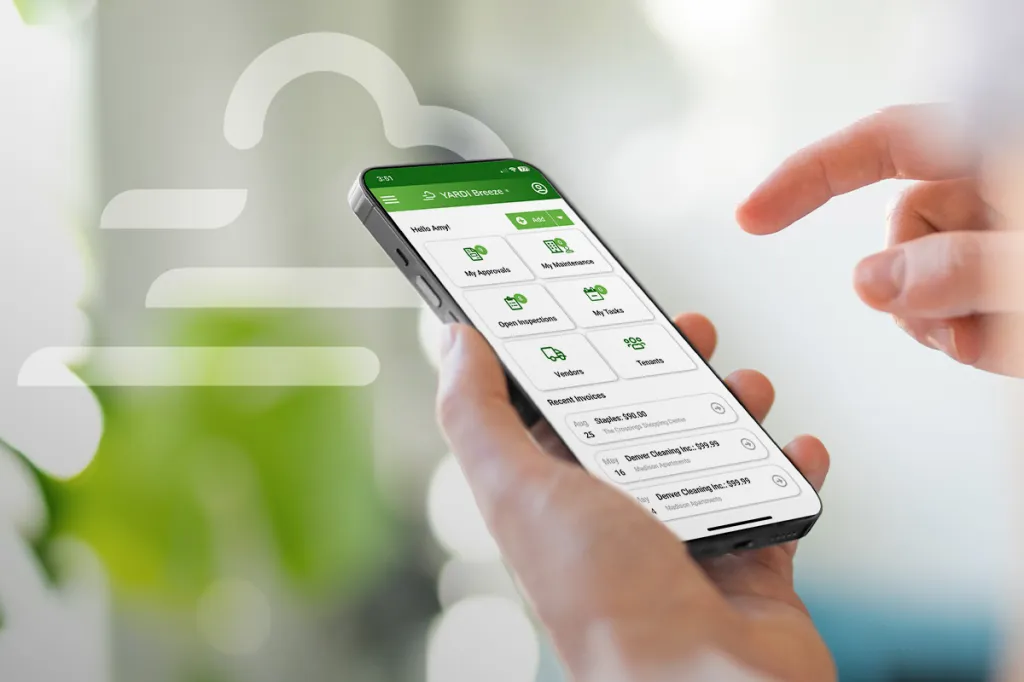
Invoice approvals are no longer the bottleneck they once were. That’s because property management software now handles the invoice routing that used to take up so much time. Now, there’s been another change, specifically on the intake side. Yardi Smart AP is a free AI invoice processing tool built into Yardi Breeze, available to Breeze Premier users. It automates entry of key data points for your team.
You get an end-to-end invoice approval workflow that’s easier and faster from the moment an invoice arrives to the moment a vendor gets paid.
Key takeaways
- Smart AP is changing intake, not approvals, so your existing approval workflow still owns invoice routing and signoffs
- Smart AP is included in Breeze Premier and can be activated in a few business days
- Notifications, approval and payment separation, and rejection handling work the same regardless of how invoices arrive
- Yardi Smart AP & Yardi PayScan Full Service solve the same intake problem two ways: AI keying and Yardi-staffed keying
What is Smart AP?
Smart AP is AI invoice processing built into Yardi Breeze Premier. It reads invoices, extracts data from the key fields and creates an invoice record automatically — no manual data entry required. Clients can drag and drop invoices into Breeze Premier, or if they prefer, vendors can send invoices to a unique email address assigned to each client; either way, Smart AP’s optical character recognition (OCR) engine handles the rest.
This gets invoices to the approval stage faster. The process is not complicated for vendors, who can continue to send invoices the same way they always have. The difference is that Smart AP handles the intake.
How Smart AP fits in Breeze Premier’s invoice approval process
You can enter invoices in one of three ways:
Traditional: Key invoices in directly
New: Let Smart AP handle data entry with AI-assisted processing
Outsourced: Let Yardi PayScan Full Service manage intake
Smart AP is a faster, simpler way to enter invoice data in Breeze Premier. Once this task is finished, the approval workflow takes over. The system routes the invoice to the right people and blocks payments until every signoff is on record.
How to get started with Smart AP
Smart AP is included with Breeze Premier, and it’s easy to get started. In fact, most clients go live within a few business days.
Yardi will activate Smart AP for you once a short list of requirements is met:
- Properties are entered in the system
- Vendors are created
- The invoice approval workflow is fully set up
- Users are assigned to the appropriate roles in the workflow
If you’re a Breeze Premier user interested in AI invoice processing, just start a live chat to request Smart AP activation.
Smart AP vs. PayScan Full Service
Yardi PayScan Full Service removes the intake step from your workload. Vendors submit invoices to a Yardi-managed central location. Yardi scans and keys the data, and the invoices appear in Breeze Premier, ready to move through your approval workflow.
With Smart AP, you can drag and drop invoices into Breeze Premier and trigger Smart AP, or have vendors send invoices directly to your Smart AP email address and AI handles the keying. Most operations pick Smart AP or PayScan Full Service based on how their vendors send invoices and how much human review they want on intake.
FAQs about invoice approvals
Yes. The My Approvals widget on the Breeze Premier dashboard pulls every invoice waiting on an approver into one view, across every property they have access to. For direct communication on a specific invoice, the Add Activity feature lets anyone working on it tag a user, leave a note and send an email from inside Breeze Premier. It’s useful for flagging a first-time vendor, a budget exception or a question about property coding without leaving the system. On mobile, the app handles approvals with push notifications, so approvers can review and take action wherever they are.
Yes. Breeze Premier’s three-tier approval structure handles this by design. The first two tiers handle invoice approval. Approvers sign off that the expense is legitimate and the coding is correct. The third tier handles payment release: a final approver reviews the batch, converts invoices to payables and signals the rest of the team that checks or EFTs have been cleared. For additional control, user role permissions limit who can print checks or process Yardi Bill Pay payments. Combined with the three-tier workflow, this gives most operations the separation of duties they need without spreadsheets or external tracking.
A rejected invoice doesn’t become a payable. The rejection and its reason stay in the record as part of the audit trail. For a correctable issue (a wrong property code, a mismatched amount or a missing attachment), the invoice goes back to data entry for a fix and re-enters the approval chain. If something more fundamental is wrong, such as a duplicate invoice or an invoice from the wrong vendor, it’s better to create a new invoice altogether.
Breeze Premier runs one active workflow at a time, with a single set of dollar thresholds and approver assignments. User-role assignments determine which approvers see what, and the instructions field at each step lets you flag what reviewers should watch on specific invoice types. For routing requirements that won’t fit one workflow, your account team can walk through custom approaches.